DACNEL
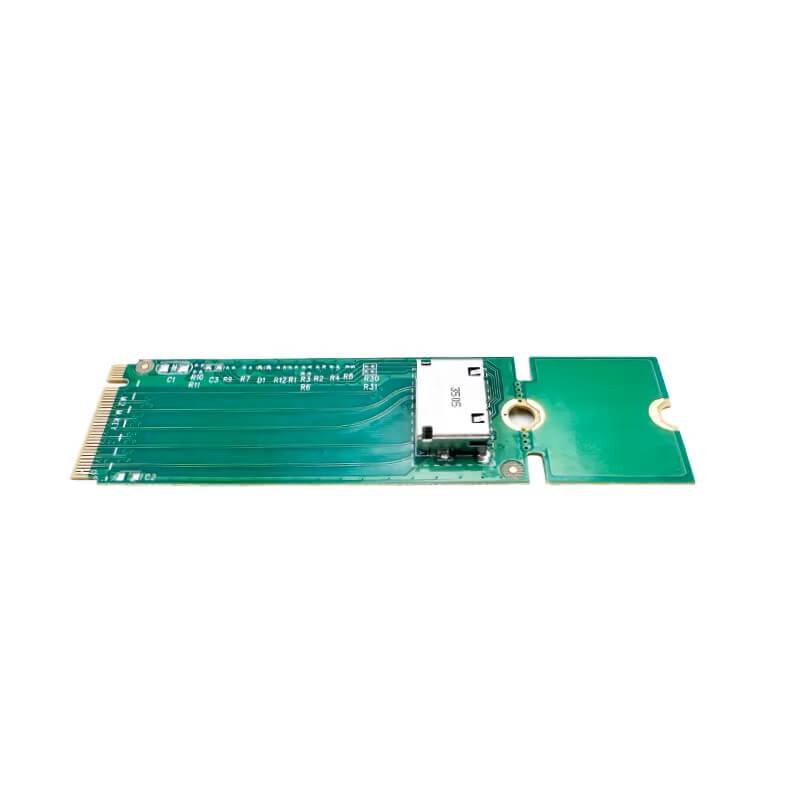
PCIe 4.0 x4 M.2 M Key to Oculink 1*SFF-8611 NVMe Adapter Card-XIC 24OL
PCIe 4.0 x4 M.2 M Key to Oculink 1*SFF-8611 NVMe Adapter Card-XIC 24OL
No se pudo cargar la disponibilidad de retiro
XIC 2441
● Interface Type: 1× SFF-8611 (OCuLink)
● Support: 1× NVMe SSD
● Host Bus Type: PCIe 4.0 x4 M.2 M-Key
● Form Factor: NVMe adapter card
Download:
Features
● Supports 1× NVMe SSD via OCuLink interface
● Uses single SFF-8611 (OCuLink) high-speed connection
● PCIe 4.0 x4 direct host bandwidth
● M.2 M-Key host interface design
● Direct PCIe pass-through architecture (no RAID)
● Designed for NVMe storage expansion in compact systems
● Low-latency direct PCIe channel routing
● Requires motherboard support for PCIe/NVMe configuration
Technical Parameters
| Item | Specification |
|---|---|
| Product Model | XIC 2441 |
| Product Type | PCIe NVMe Adapter Card |
| Host Interface | M.2 M-Key (PCIe 4.0 x4) |
| Storage Interface | 1× NVMe SSD via SFF-8611 (OCuLink) |
| Protocol | NVMe |
| RAID Support | Not supported |
| Architecture | Direct PCIe pass-through |
| UEFI Support | Yes |
| OS Compatibility | Windows / Linux / VMware / BSD / NAS systems |
OEM/ODM
OEM/ODM
Streamlined OEM/ODM process from requirement discussion to mass production, with engineering evaluation, prototyping, and full testing to ensure performance and reliability.
ISO-certified manufacturing with strict quality control, 100% testing, and stable global delivery.
Contact us for customization: +86 151 7319 6157 | dacnelcard@gmail.com
Shipping & Returns
Shipping & Returns
Free worldwide shipping with fast processing and full tracking. Secure payments are supported, and a 30-day return policy ensures a worry-free purchase.
Quality Management
Quality Management
Each card is produced using advanced manufacturing processes and a rigorous quality control system. With responsive after-sales support, we ensure reliable performance and complete peace of mind for our customers.
Handling & Care Instructions
Handling & Care Instructions
To maintain optimal performance and prevent damage, please follow these guidelines:
- Wear Gloves When Handling:
Always wear clean gloves when handling the card to prevent sweat and oils from corroding the connectors and affecting performance. - Avoid Direct Contact:
Do not touch the gold fingers or electronic components directly. - Keep Dry and Clean:
Store and operate the card in a dry, dust-free environment to prevent oxidation and contamination. - ESD Protection:
Use proper anti-static measures when installing or removing the card.