DACNEL
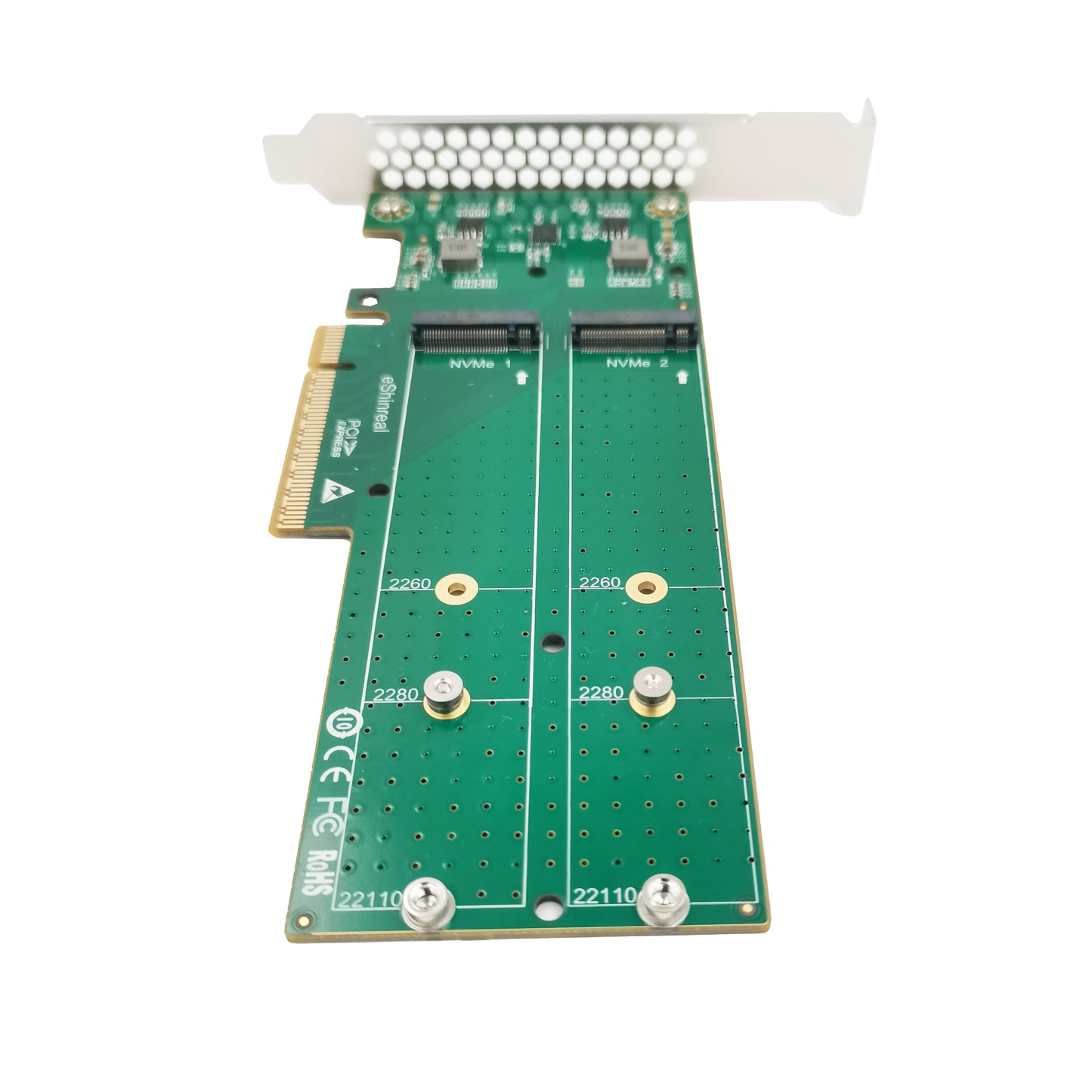
PCIe x8 to 2-Port M.2 NVMe Adapter--XIC PE482
PCIe x8 to 2-Port M.2 NVMe Adapter--XIC PE482
Verfügbarkeit für Abholungen konnte nicht geladen werden
Product Model:XIC PE482
Product Name: PCIe x8 to 2 Port M.2 NVMe SSDs Adapter
Interface Type:2*M.2 M-key Connectors
Support Equipment:2*M.2 NVMe SSD
Host Bus Type:PCIe x8
Ps. Motherboards BIOS needs to have PCIe Bifurcation Mode Support
XIC PE482 2 Ports M.2 Card is a great storage solution for any workstation with PCIe x8 bandwidth. It has two M.2 M-key connectors to accept two M.2 NVMe SSD Drives, So each M.2 SSD Drives has dedicated PCIe 4.0 x4 bus bandwidth. It allows user to add dual M.2 NVMe into any PCIe x8 slot to achieve their full potential bandwidth.
Features:
Supports 2 PCIe M.2 NVMe SSDs.
Compatible with PCIe Gen5, Gen4, Gen3.
Comes with a full-profile bracket (preinstalled), and also includes a low-profile bracket for a small form-factor computer.
Computer with PCI Express Slot (x8) support PCIe Bifurcation mode.
A heatsink must be installed when installing a PCIe Gen5 SSD.
Operating on PCIe Gen4 is the most stable.
Please kindly verify with your mainboard manufacture to make sure the motherboard BIOS support Bifurcation for the PCI Express you are using.
OEM/ODM
OEM/ODM
Streamlined OEM/ODM process from requirement discussion to mass production, with engineering evaluation, prototyping, and full testing to ensure performance and reliability.
ISO-certified manufacturing with strict quality control, 100% testing, and stable global delivery.
Contact us for customization: +86 151 7319 6157 | dacnelcard@gmail.com
Shipping & Returns
Shipping & Returns
Free worldwide shipping with fast processing and full tracking. Secure payments are supported, and a 30-day return policy ensures a worry-free purchase.
Quality Management
Quality Management
Each card is produced using advanced manufacturing processes and a rigorous quality control system. With responsive after-sales support, we ensure reliable performance and complete peace of mind for our customers.
Handling & Care Instructions
Handling & Care Instructions
To maintain optimal performance and prevent damage, please follow these guidelines:
- Wear Gloves When Handling:
Always wear clean gloves when handling the card to prevent sweat and oils from corroding the connectors and affecting performance. - Avoid Direct Contact:
Do not touch the gold fingers or electronic components directly. - Keep Dry and Clean:
Store and operate the card in a dry, dust-free environment to prevent oxidation and contamination. - ESD Protection:
Use proper anti-static measures when installing or removing the card.